ClickSkool1.1
Publisher Description
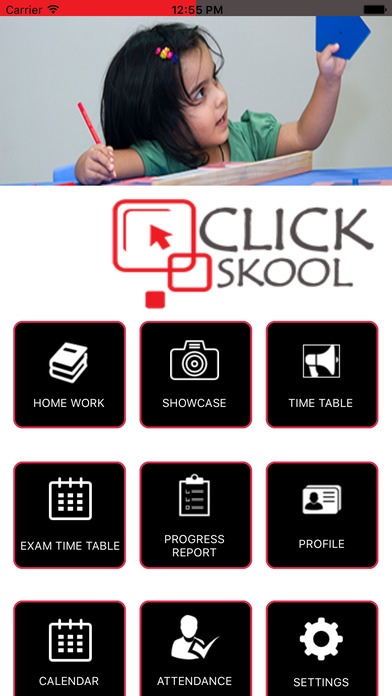
School:
An easy & effective communication tool
Upload all your day to day events, post photos , albums, videos, update notifications,announcements & parent alerts
Update student s progress reports, attendance and homeworks online
Click pictures of school events on your mobile phones and tables and upload them directly
Get updated with the news and activities of other schools and share & learn best practices.
Micro blog and bring the monthly bulletins & newsletters online
Parents:
Parents will enjoy virtually taking part in the school activities
They will love seeing pictures and videos of the schools accomplishments, events and athletics. This will create a strong bond with the school
They will find it very convenient to receive instant updates directly to their mobile phones,emails and tablets
Can easily navigate the website through its organized layout
Can check their child's progress reports, attendance, homeworks, school announcements and notifications online even if they miss to attend the PTMs
Prospective Parents
Prospective parents can compare features of different schools
Can view activities of each school once they enter the school showcase creating awareness on a school
Will help the prospective parents take an educated decision of the best school for their child
Whenever a prospective parent Google's for the school, Clickschool.com will pitch the school if it is registered increasing the chances of new admission
Will help the prospective parents take an educated decision of the best school for their child
Requires iOS 8.0 or later. Compatible with iPhone, iPad, and iPod touch.
About ClickSkool
The company that develops ClickSkool is sanjay rajamgari. The latest version released by its developer is 1.1.
To install ClickSkool on your iOS device, just click the green Continue To App button above to start the installation process. The app is listed on our website since 2016-09-02 and was downloaded 2 times. We have already checked if the download link is safe, however for your own protection we recommend that you scan the downloaded app with your antivirus. Your antivirus may detect the ClickSkool as malware if the download link is broken.
How to install ClickSkool on your iOS device:
- Click on the Continue To App button on our website. This will redirect you to the App Store.
- Once the ClickSkool is shown in the iTunes listing of your iOS device, you can start its download and installation. Tap on the GET button to the right of the app to start downloading it.
- If you are not logged-in the iOS appstore app, you'll be prompted for your your Apple ID and/or password.
- After ClickSkool is downloaded, you'll see an INSTALL button to the right. Tap on it to start the actual installation of the iOS app.
- Once installation is finished you can tap on the OPEN button to start it. Its icon will also be added to your device home screen.
